Microsoft provides a free XML Notepad program for editing XML file.
It makes it alot easier to see and change values in the XML file.
Thursday, June 07, 2007
Tuesday, June 05, 2007
Taskbar
One session of Civil 3D, two files open with Taskbar setting of 0:

One session of Civil 3D, two files open with Taskbar setting of 1:
 The first one is the default and to switch between drawings use alt+tab, for the second one switch between drawings with alt+tab.
The option to change it in Microsoft Office products is under options. This is from Microsoft Office 2007.
 The change in the UI for the Microsoft Office is a bigger change the CTRL click for subentities in AutoCAD.
One session of Civil 3D, two files open with Taskbar setting of 1:
The first one is the default and to switch between drawings use alt+tab, for the second one switch between drawings with alt+tab.The option to change it in Microsoft Office products is under options. This is from Microsoft Office 2007.
The change in the UI for the Microsoft Office is a bigger change the CTRL click for subentities in AutoCAD.
Increase Command Line History
This post in the news group is helpful in making the command line history longer and outputting it to a file. It is helpful in getting a list of all of the commands loaded in Civil 3D. Type ARX and then C for commands.
http://discussion.autodesk.com/thread.jspa?messageID=4145019
http://discussion.autodesk.com/thread.jspa?messageID=4145019
ConvertLineworkToMaskBlock
I used this one, it is in the DG on how to use it for hiding alignment extensions. I used it to hide part of a profile. To start the command just type ConvertLineworkToMaskBlock. Select a closed polyline that you want to use as the mask.
 A box will pop up. I usually choose the Select AEC Objects to Mask option and let the computer name the Mask Block. I also check the Erase layout geometry so it deletes the original polyline. After you hit OK you will be asked to select which objects you want masked, in this case I am masking a profile.
Before:
 After:
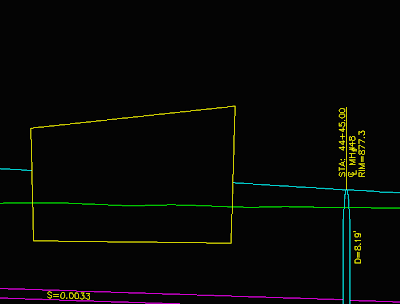
I masked the top profile.
Make sure you place the Mask Block on a non plot layer so it doesn’t show up. To add or remove objects just select the Mask Block right click and the option is there. You can also edit the shape using the edit profile in place option in the right click.
A box will pop up. I usually choose the Select AEC Objects to Mask option and let the computer name the Mask Block. I also check the Erase layout geometry so it deletes the original polyline. After you hit OK you will be asked to select which objects you want masked, in this case I am masking a profile.Before:
After:I masked the top profile.
Make sure you place the Mask Block on a non plot layer so it doesn’t show up. To add or remove objects just select the Mask Block right click and the option is there. You can also edit the shape using the edit profile in place option in the right click.

Monday, June 04, 2007
Other Commands with Multiple
If you have lots of repetitive things to do in Civil 3D and you are constantly right clicking to get to the command stop and watch the command line. Often times the name of the command is listed. Type multiple then the command which was at the command line and see if it will let you repeat the command over and over again. Sometimes it won't work, but it is worth a try.
Subscribe to:
Posts (Atom)
LinkWithin
